카페검색 본문
카페글 본문
-
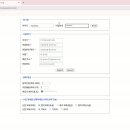
26.02.06 과제(폼양식연습) 2026.02.09해당카페글 미리보기
legend> <div class="row inline"> <label for="loginId">아이디</label> <input id="loginId" type="text" autofocus placeholder="아이디를 입력하세요" staruired> ; ; <label for="loginPw">비밀번호</label> <input id="loginPw" type="password...
-
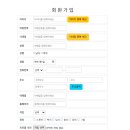
09.09(숙제) - 회원가입 폼.. 진행중 2025.09.09해당카페글 미리보기
ctp}/member/join"> <div class="form-control"> <label for="mid">아이디</label> <input type="text" id="mid" name="mid" placeholder="아이디를 입력하세요" required autofocus /> <input class="btn btn-warning" type="button" id="midCheck" name...
-
1줄 1장 PPT (문장을 PPT로 바꿔주는 웹앱) 2026.09.28해당카페글 미리보기
span><span><kbd>Esc</kbd> 종료</span></p> <div class="card"> <h2>내용 입력</h2> <input type="text" id="title" placeholder="제목 (예: 3단원 정전기)"> <div style="height:8px"></div> <textarea id="text" placeholder="전자를 얻으면 띠는 전기...
-
Web에서 nicegui + python으로 Web sns l 보내기 2026.10.03해당카페글 미리보기
디스코드(Discord) 활성화').classes('font-semibold') discord_url_input = ui.input('디스코드 Webhook URL', placeholder='https://discord.com...').classes('flex-1') ui.separator().classes('my-2') # 텔레그램 설정 with ui.column().classes('w...
-
9월 22일 숙제(아이디저장) 2026.09.22해당카페글 미리보기
form-label">아이디</label> <input type="text" name="mid" id="mid" value="${cookie.cMid.value}" class="form-control" placeholder="아이디를 입력하세요" required autofocus> </div> <div class="mb-3"> <label for="pwd" class="form-label">비밀...
-
9월 14일 전화번호 2026.09.14해당카페글 미리보기
option>054</option> </select>- <input type="text" name="tel" id="tel1" class="form-control" autofocus required placeholder= "전화번호 중간번호를 입력하시오">- <input type="text" name="tel" id="tel2" class="form-control" autofocus...
-
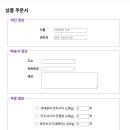
9월 8일 css 연습(3) 2026.09.11해당카페글 미리보기
text-align: center"> <div> <label for="name" class="tit_1">이름</label> <input type="text" name="name" id="name" placeholder="여백없이 입력"/> </div> <div> <label for="tel" class="tit_1">연락처</label> <input type="tel" name="tel" id...
-
9월3일 .폼연습 2026.09.03해당카페글 미리보기
5" size="10" maxlength="10" autofocus /></p> <p>성명6 : <input type="text" name="name6" id="name6" maxlength="10" placeholder="성명을 입력하세요." /></p> <p>이메일 : <input type="email" name="email" id="email" /></p> <p>홈페이지 : <input...
-
11 2026.06.13해당카페글 미리보기
createElement('input'); input.className='seat-input'; input.style.left=x+'%'; input.style.top=y+'%'; input.placeholder='이름'; input.value=data[seat]||''; input.maxLength=8; input.setAttribute('data-seat',seat); input.addEventListener...
-
0506 2026.05.06해당카페글 미리보기
요소의 인덱스값을 설정 }; return( <> {open && ( <InsertFormPositioner> <InsertForm xxxxonSubmit={xxxxonSubmit} > <Input autoFocus placeholder="할 일을 입력 후, Enter 를 누르세요" xxxxonChange={xxxxonChange} value={value}/> </InsertForm...